
Don't Modify Input Address During Address Validation
If you are required, for legal reasons or otherwise, to keep the addresses untouched while adding ZIP+4's to valid addresses during the address validation process, use the Don't Modify Input Address feature in the Integrity section of the Validate Records feature.
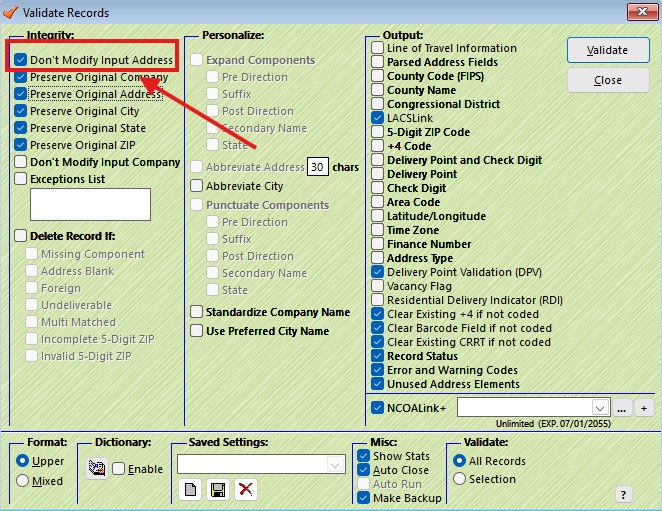
The result will have the address, city, and state fields untouched, and the ZIP will have the correct ZIP+4 applied to it. This means that the ZIP Code will be updated, so if there's a missing leading zero in the original ZIP, or if numbers in the ZIP Code are transposed, the 5-digit ZIP Code will be corrected and the appropriate +4 added.